Artemis
Lab 1A
Blink
Serial
Analog Read
Increasing temperature readings.
Microphone
Microphone response to finger snapping.
Electronic Tuner
Lab 1B
Prelab
Setup
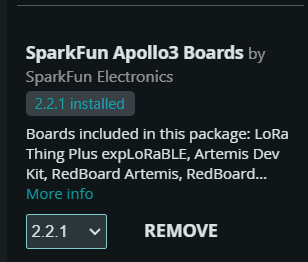
To set up the Arduino IDE for the Artemis board, I installed the Arduino Artemis package from the Arduino Board Manager. The codebase was then downloaded and added to a local FastRobots directory. I set up a virtual environment and downloaded the required packages.

Configuration
Updating MAC Address and UUID
To uniquely identify the Artemis board, the device’s MAC address was recorded in the connection.yaml file, and a unique UUID was generated. The BLE_UUID_TEST_SERVICE definition in the Artemis code and the ble_service variable in the Jupyter notebook were updated accordingly.


Commands
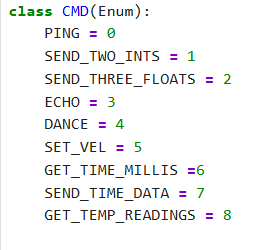
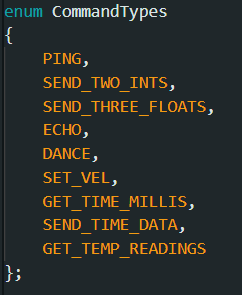
The command type lists on both the Arduino side and the Jupyter notebook were updated to account for all tasks in this lab.
Tasks
ECHO
Artemis
Jupyter
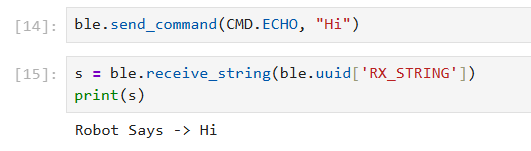
The returned message from Artemis is printed in Jupyter notebook.
SEND_THREE_FLOATS
Artemis Code
Jupyter Code

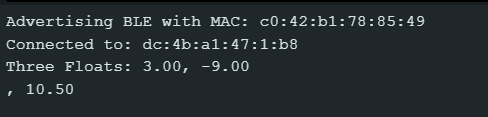
Arduino Serial Output
GET_TIME_MILLIS
Artemis
Jupyter
Arduino Serial Output

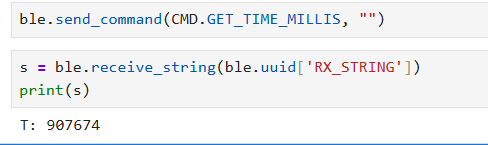
The same time value is shown in the Arduino Serial Output and Jupyter notebook as it is sent from the Artemis board to the computer.
BLE Notification Handler
Source Code

A notification handler which can track when data changes is set up. As it receives raw byte data, it prints it.

A BLE controller start_notify command is used to activate the notification handler.
Time Loop
Time Loop Source
GET_TIME_MILLIS (Reused)
The loop logic is placed inside the previously created GET_TIME_MILLIS to have a controlled method of running the loop.
Time Notification Results
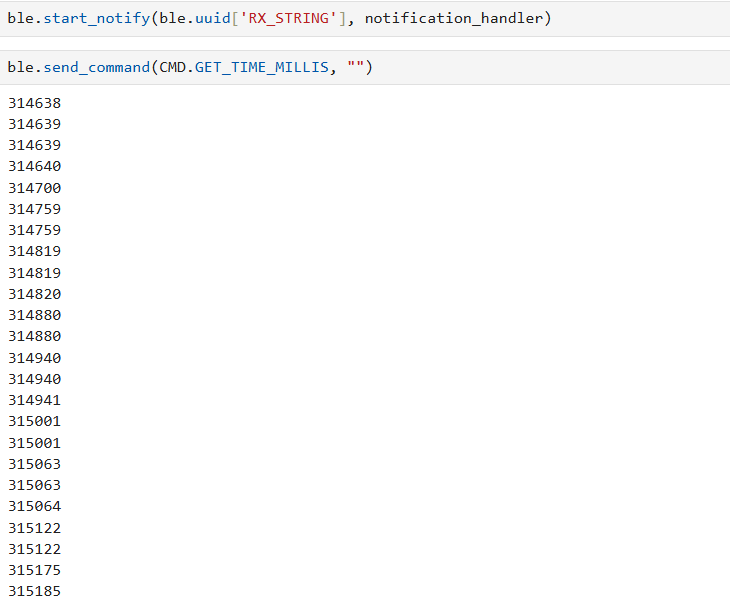
The code was able to send 26 messages in 602 ms meaning that the transfer rate is 23.15 ms per message. Each message is 7 bytes long, one byte for the ascii representation of each digit in the time value. Therefore, the effective transfer rate is about 302 bytes per second. There are other portions of the control loop like a Serial print statement that slow down the transfer of data, so a high transfer rate is achievable with greater code optimization.
SEND_TIME_DATA
Artemis
Jupyter
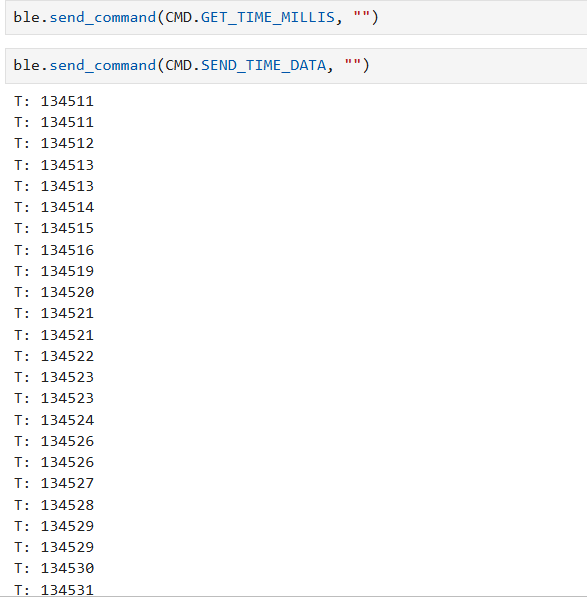
The loop populating the timestamp array was triggered by
GET_TIME_MILLIS. The data was processed using the BLE
notification handler.
GET_TEMPERATURE_READINGS
Artemis
Jupyter
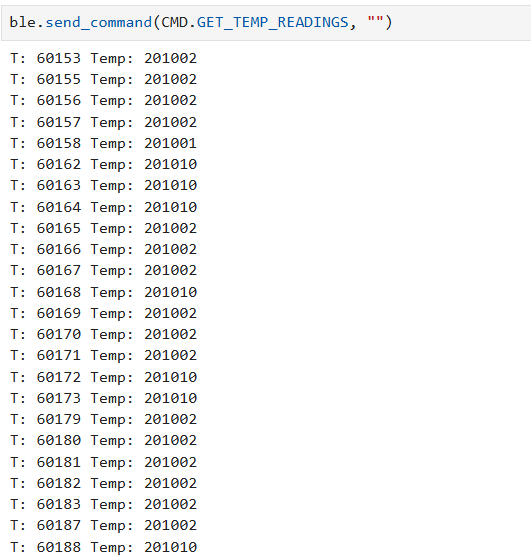
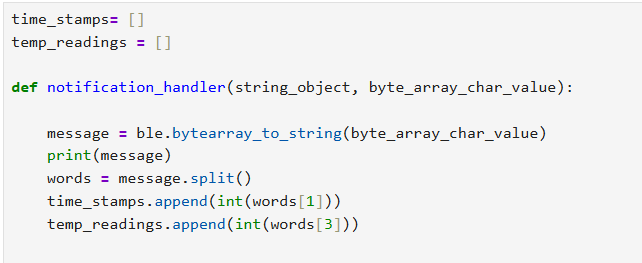
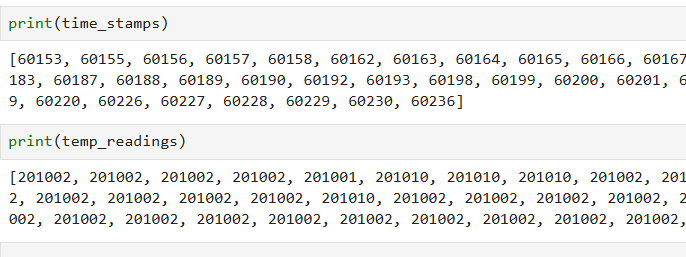
Data was parsed using Python's split() function to separate timestamps and temperature values. The values were converted to integers and stored in their respective lists.
The main difference between the two methods discussed above is individual versus batch data processing. The utility of each transfer method differs based on the specific application for which BLE is being used. For instance, if data collection is performed for later analysis, then the batch processing method is more effective. However, if the data is very time-sensitive meaning that each reading could lead to the robot making a decision,it is better to use the first method and process each reading individually. The advantage of the first method is that it does not require a large amount of storage space to maintain lengthy arrays. However, it is significantly slower than its counterpart. The second method was able to send 10 messages in 9 ms, which corresponds to approximately 1111.1 messages per second. Each message was 22 bytes long, resulting in a data rate of 24,444.4 bytes per second. The main disadvantage of the second method is that it requires storing potentially large amounts of data on board a microcontroller with limited resources.The amount of data that can be stored and sent greatly depends on the type of data being communicated. The MCU has 393,216 bytes of memory, so if each message is maximized to 255 bytes, up to 1,542 messages can be sent before running out of memory.
Effective Data Rate And Overhead
Source Code
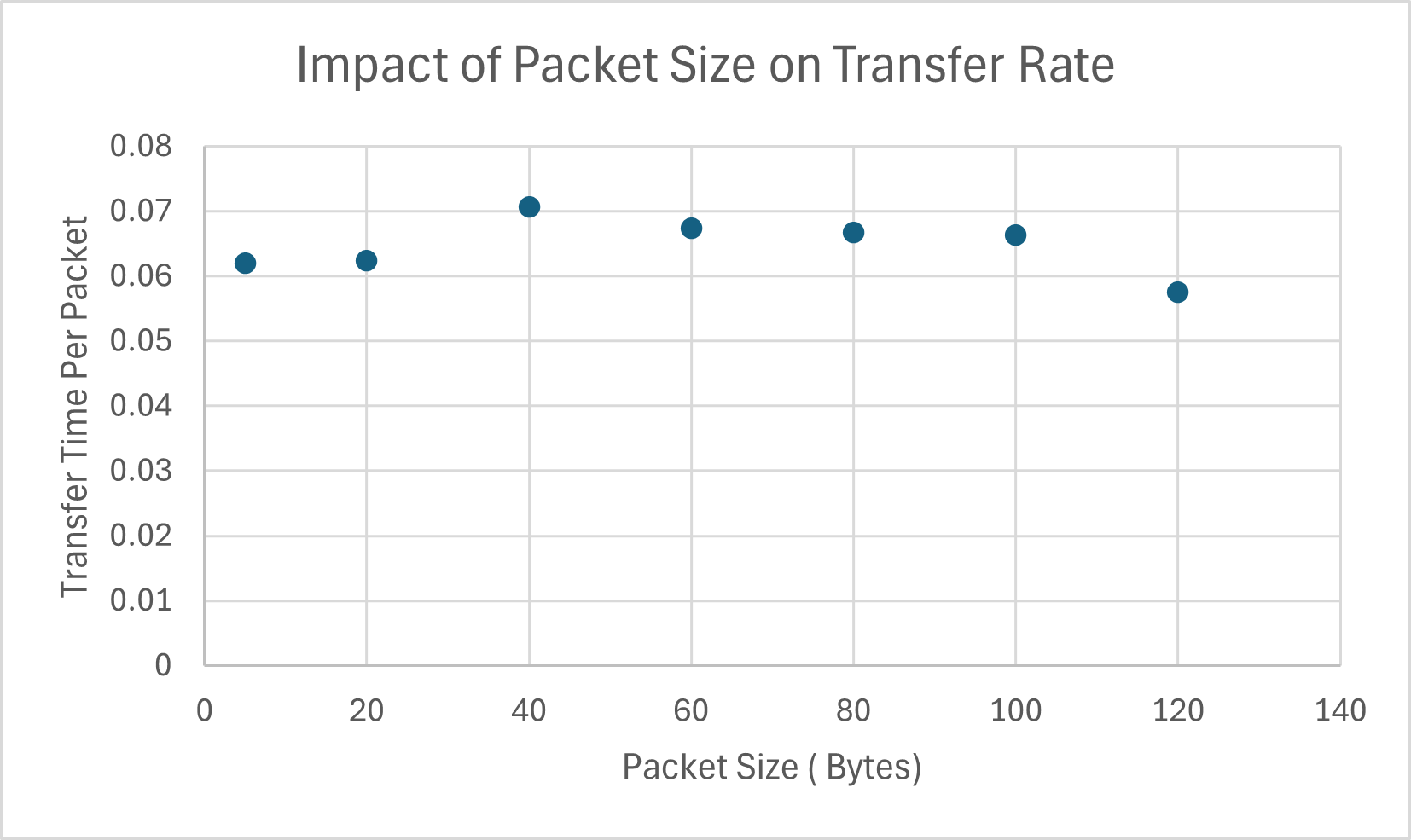 To test the impact of packet size on data rate, I used the existing SET_VEL command in the codebase to send string replies of various character lengths back to the computer. The data rate for the 5-byte packet was 0.0619512 seconds per message, while the rate for the 120-byte packet was 0.0575078 seconds per message.
Across packet sizes of 5, 20, 40, 60, 80, 100, and 120 bytes, the effective rate decreased slightly for the medium-sized packets (40–80 bytes) but then began increasing again for the 120-byte packet. This trend could signify overhead required to set up the BLE connection and notification handler, which becomes less significant as packet size increases.
To test the impact of packet size on data rate, I used the existing SET_VEL command in the codebase to send string replies of various character lengths back to the computer. The data rate for the 5-byte packet was 0.0619512 seconds per message, while the rate for the 120-byte packet was 0.0575078 seconds per message.
Across packet sizes of 5, 20, 40, 60, 80, 100, and 120 bytes, the effective rate decreased slightly for the medium-sized packets (40–80 bytes) but then began increasing again for the 120-byte packet. This trend could signify overhead required to set up the BLE connection and notification handler, which becomes less significant as packet size increases.